


The Kvaser BlackBird Course
Selecting the Device
The Remote Device Configuration Tool is a more advanced method of setting up the BlackBird for wireless communication, but is necessary for connecting the device to a pre-established network like a router or wireless access point. For this demonstration we will be connecting the BlackBird to a Wi-Fi router to make it available to other PCs on the network. Please note that only one PC can connect to the BlackBird at any given time.
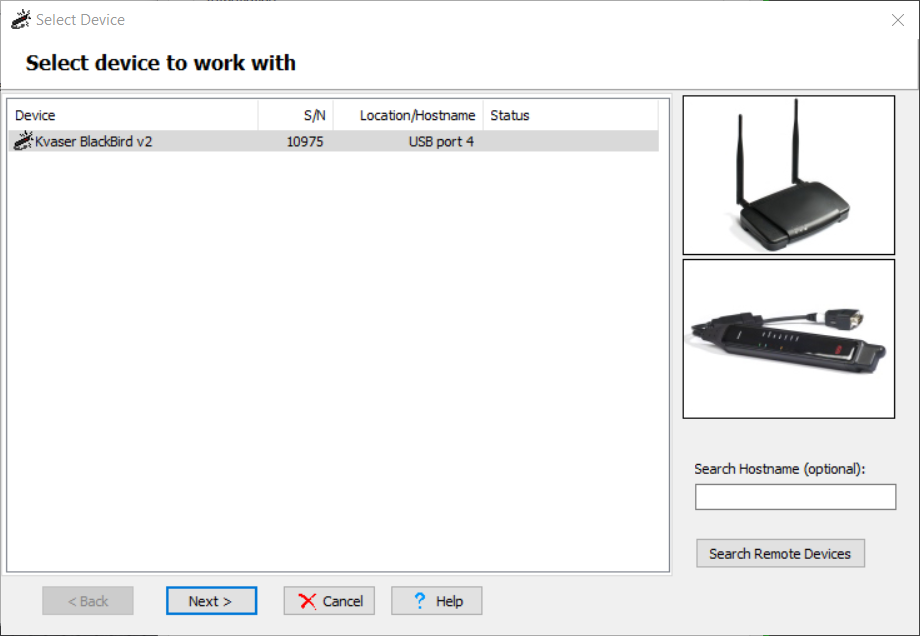
To begin, let’s click Tools from the menu and select Remote Device Configuration. Here can select your device or locate hardware if you’re unsure which device you have selected. Once your device is selected, click Next to continue with the setup.
The Kvaser Blackbird eLearning course. covers several ways to configure the Kvaser Blackbird for wireless communication as well as discusses the various features available from this line of products.
 1...2...3...